Using cover e-mail for bills report
This article explains how to access and use the Cover E-mail for Bills feature in Amicus Attorney by CARET.
Accessing cover e-mail for bills
To open the Cover E-mail for Bills dialog:
-
In the Billing side of the application, select Reports from the left navigation pane.
-
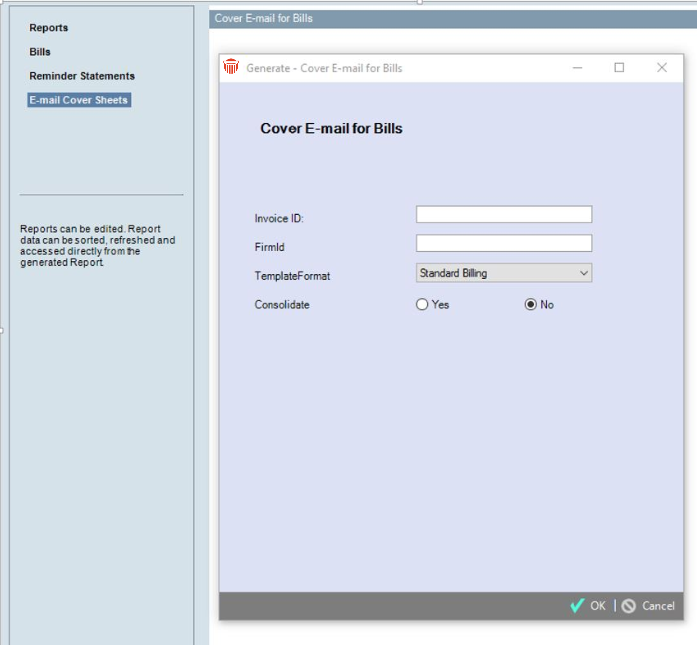
Click E-mail Cover Sheets in the list of reports to display the corresponding dialog.
Enter cover e-mail details
Once the dialog is open:
- Enter the Invoice ID.
- Enter the Firm ID.
- From the Template Format drop-down list, select the format to use.
- The selected template includes both a subject line and a body.
- At the Consolidate field, select either Yes or No.
Working with the report
After generating the report, you can:
- Edit the report data
- Sort the report
- Refresh the report
- Access report data directly from the generated report